


A Practical SMTP & Deliverability Guide
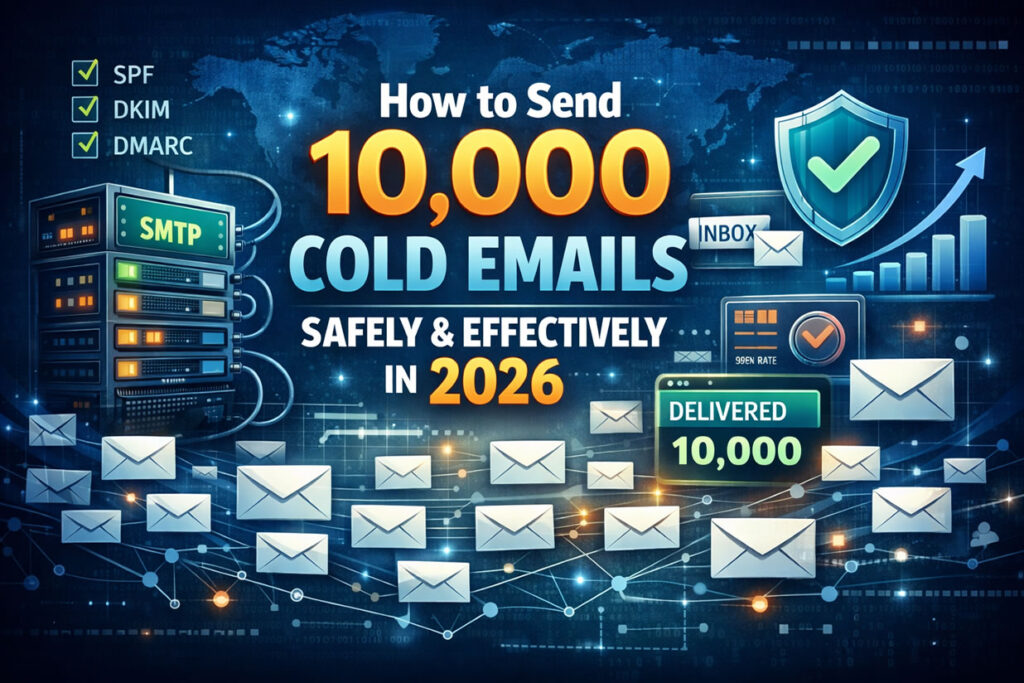
Cold email outreach in 2026 is no longer about sending messages at scale—it’s about SMTP configuration, sender reputation, domain trust, and inbox placement science.
If you want to send 10,000 cold emails safely without landing in spam, getting blocked by Gmail or Outlook, or damaging your primary domain, you must treat cold outreach as an email infrastructure project, not a marketing shortcut.
At smtp.blog, we focus on the technical and strategic side of email delivery. This guide explains exactly how professionals send 10,000 cold emails in 2026 while protecting SMTP reputation and maximizing response rates.
Why Cold Email Still Works in 2026 (When SMTP Is Done Right)
Despite stricter spam filters and AI-driven inbox protection, cold email remains one of the highest ROI outbound channels for B2B—when SMTP and deliverability are handled correctly.
Inbox providers now evaluate:
- SMTP authentication
- Domain and IP reputation
- Engagement signals
- Sending consistency
- Historical spam complaints
Cold email fails when SMTP fails.
That’s why most “mass email” attempts die before reaching the inbox.
Step 1: Build a Cold Email SMTP Infrastructure (Do Not Skip This)
Never Send Cold Emails From Your Main Domain
Your main business domain should never be used for cold outreach.
smtp.blog best practice:
- Register 2-4 secondary sending domains
- Use brand-safe variations
- Keep marketing and transactional email completely separated
Example:
smtp.blog→smtpblog.io,smtpbloghq.com,try-smtpblog.com
This protects your core domain from blacklist damage.
Create Dedicated SMTP Inboxes Per Domain
Each domain should have:
- Maximum 2–5 mailboxes
- You can buy mailboxes from SMTPReseller.com, SMTPAccounts.com. (Some people now recommending Google Workspace or Microsoft 365 Accounts too but guess what they have daily sending limits and very strict rules so accounts get banned or permanently blocked very quickly.)
- Human sender names (no generic aliases)
Why this matters:
SMTP providers monitor per-mailbox behavior—not just domains.
Step 2: SMTP Authentication & DNS Configuration (Inbox Gatekeeper)
Without correct DNS records, your emails won’t survive modern spam filters.
Mandatory SMTP & DNS Setup in 2026
Every sending domain must include:
- SPF – Authorizes sending servers
- DKIM – Cryptographically signs messages
- DMARC – Defines trust policy (start with monitoring)
- Custom tracking domain – Avoid shared click domains
- PTR / rDNS – Especially critical for custom SMTP servers
As per my experience 80% of cold email failures caused by misconfigured SMTP records.
Step 3: Email Warm-Up (SMTP Reputation Building Phase)
Sending volume without warm-up is the fastest way to get blocked.
Proper SMTP Warm-Up Strategy
- Duration: 14–21 days
- Start with 5–10 emails/day
- Gradually increase volume
- Generate replies, forwards, and sent emails
Warm-up trains inbox providers to trust your SMTP traffic pattern.
Step 4: How to Send 10,000 Cold Emails Without Triggering Spam Filters
Safe Sending Volume Formula
You never send 10,000 emails from one SMTP identity.
Example SMTP-safe distribution:
- 4 domains
- 5 inboxes per domain
- 40–50 emails/day per inbox
➡️ Result:
1,000 emails/day × 10 days = 10,000 emails safely delivered
This mirrors enterprise outbound practices used by professional email teams.
Step 5: Lead Quality Directly Impacts SMTP Reputation
SMTP systems track bounce rates and complaint signals aggressively.
Cold Email Data Rules
- Business emails only
- Verified addresses
- Low catch-all ratio
- ICP-targeted segmentation
Bad data leads to:
- Hard bounces
- Spam complaints
- SMTP throttling
- Domain reputation damage
Email Verification Tools:
- EmailVerifying.com
- Zero Bounce
Step 6: Cold Email Copy That Survives SMTP Filtering
In 2026, spam filters analyze intent and structure, not just words.
SMTP-Friendly Email Copy Rules
✔ Plain-text format
✔ Short sentences
✔ No images or attachments
✔ No links in first email
✔ Natural, human tone
Important:
Over-polished AI-generated emails are now flagged more often than simple text.
Step 7: Personalization That Improves Inbox Placement
Engagement improves SMTP trust.
Effective personalization includes:
- Company-specific context
- Industry-relevant problems
- Role-based messaging
Higher replies = better SMTP reputation.
Step 8: Cold Email Compliance in 2026 (SMTP + Legal)
SMTP compliance is closely tied to legal compliance.
Required Elements
- Clear sender identity
- Valid business address
- Working unsubscribe link
- Honest subject lines
Non-compliance increases complaint rates—hurting SMTP deliverability.
Step 9: Monitor SMTP & Deliverability Metrics Daily
Metrics smtp.blog Recommends Tracking
- Inbox placement rate
- SMTP rejection logs
- Open rates (30%+ healthy)
- Reply rates (5–10%)
- Spam complaints (near zero)
If metrics dip:
- Pause sending
- Reduce volume
- Re-warm inboxes
- Adjust copy
Step 10: Use Professional SMTP & Cold Email Tools
Your tool stack matters.
A modern SMTP-focused outbound stack includes:
- Inbox rotation system
- Warm-up automation
- SMTP monitoring
- Lead verification
- Deliverability analytics
Avoid platforms that reuse shared IPs or domains.
Final Verdict: SMTP Is the Backbone of Cold Email Success
Sending 10,000 cold emails safely in 2026 is achievable—but only when SMTP, DNS, and reputation management are treated seriously.
If you want to send 10000 emails now or in one day or looking to send 10000 emails per month then I recommend you to use Hotsol or Mass Mail Service. With simple and quick setup you will be able to do it without getting involve in warmup and verifications process etc…
At smtp.blog, we believe:
Cold email success is 80% infrastructure and 20% copy.
If your SMTP foundation is strong, your emails will land, get opened, and generate replies.